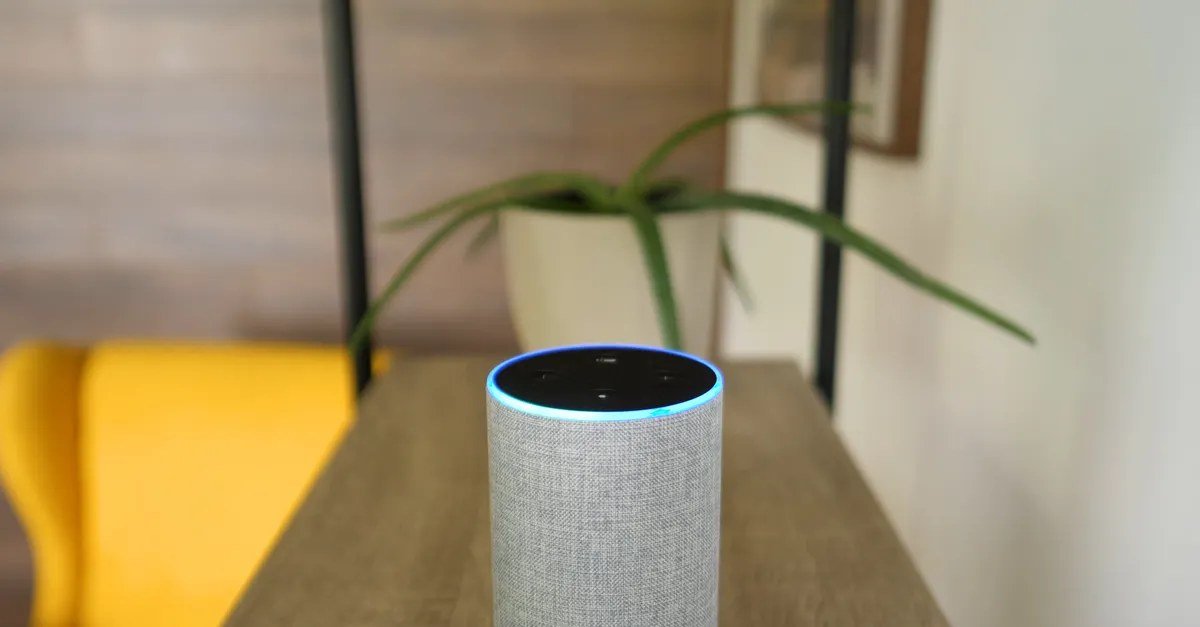
It sits on your kitchen counter, always plugged in, always waiting. And everyone has had the creepy moment: you mention a product in conversation, and an ad for it appears on your phone an hour later. So let us ask plainly: are AI-powered home devices listening to everything you say?
The short answer is more reassuring than the rumors, but less reassuring than the manufacturers’ marketing. Your smart speaker is not recording and uploading every word. But it is listening in a specific technical sense, it does record more than you think, and your data goes more places than the setup screen implies. Here is the full picture.
Are AI-Powered Home Devices Listening to Everything You Say?
How they actually work
Smart speakers and displays use a two-stage listening system. The first stage runs locally on the device: a small, efficient model listens continuously for the wake word (“Alexa,” “Hey Google,” “Siri”). This local processing is why the device can respond without sending everything to the cloud. Technically, yes, the microphone is always on and the device is always “listening” for that trigger. But in this stage, nothing is being recorded or transmitted.
When the wake word is detected, the second stage kicks in: the device starts recording and streams audio to the company’s servers for processing. A light or on-screen indicator signals this. The recording continues until the interaction ends, plus a short buffer.
So the accurate statement is: the device is always listening for the wake word locally, and only records and transmits after it thinks it heard the wake word. That distinction matters, but it is not the whole story.
Where it gets murkier
False activations are common. The wake-word detector is not perfect. It triggers on similar-sounding words, TV dialogue, and conversations that merely resemble the wake word. Studies have found smart speakers activate accidentally dozens of times per day in some households. Each false activation means audio you did not intend to share gets recorded and uploaded.
Humans review some recordings. All major providers have used human reviewers to annotate voice recordings for quality improvement. You can usually opt out of human review in settings, but the default has historically been opt-in, and most users never change it.
Your data feeds advertising profiles. Voice requests contribute to the advertising and recommendation profiles these companies build. That creepy ad after a conversation is more likely explained by the constellation of tracking across your devices (location, browsing, purchases, contacts) than by your speaker eavesdropping, but the overall surveillance picture is what feels violating.
Other devices listen too. It is not just speakers. Smart TVs with voice remotes, some smart appliances, and phones with always-on assistants all have microphones with similar architectures. Our article on AI features in smartphones covers the phone side of this.
What you can actually do about it
You have more control than most people realize:
- Use the mute button. Every major smart speaker has a physical microphone mute. Use it during sensitive conversations. It is the only guarantee.
- Review and delete recordings. All providers let you review your voice history and delete it. Set recordings to auto-delete every 3 months (the shortest option available).
- Opt out of human review. Find the privacy settings and disable the option that allows recordings to be used for improvement or reviewed by humans.
- Limit what the assistant can access. Disconnect calendars, contacts, and purchase histories you do not need voice-accessible.
- Consider placement. Bedrooms and home offices deserve more caution than kitchens. The most sensitive conversations should happen away from always-on microphones, or with the mic muted.
The honest risk assessment
Let us calibrate. The realistic risks: accidental recordings of private moments, voice data contributing to advertising profiles, and the general principle of normalizing always-on microphones in private spaces. The unrealistic fears: a human employee listening to your life in real time, or the device transcribing everything for some master file. The business model is advertising and ecosystem lock-in, not eavesdropping for its own sake.
That said, “trust us” is doing heavy lifting here. These systems are proprietary, the policies change, and breaches happen. Your comfort level should reflect your own threat model. A casual user annoyed by targeted ads and a journalist protecting sources reasonably make different choices.
The bigger conversation
Smart speakers are one node in a much larger data collection ecosystem. Our articles on AI in everyday life and sharing personal information with AI chatbots map the other nodes. And if you are deciding whether these devices are worth it at all, our piece on seniors benefiting from voice assistants shows the genuine upside that makes the tradeoff worth it for many people.
For the regulatory perspective, the FTC’s privacy resources track enforcement actions around voice data and smart devices.
Smart speaker alternatives for the privacy-conscious
If the tradeoff does not work for you, options exist on a spectrum. The simplest: use your phone’s voice assistant instead of a dedicated speaker. It has the same capabilities with the advantage that you carry it away from sensitive conversations, and phones generally offer better privacy controls. Next step: smart speakers with physical mute buttons used religiously, plus auto-delete enabled, which is where most privacy-conscious users land.
Further along: open-source voice assistants like Mycroft (now transitioning) or Home Assistant’s voice features, which process locally and give you genuine control, at the cost of convenience and capability. The extreme end: no always-on microphones at all, using push-to-talk devices or just your phone. There is no wrong answer here, only the tradeoff that fits your comfort. The key is making it a conscious choice rather than a default you never examined.
Quick wins for this week
- Press the mute button on your smart speaker right now and notice how rarely you miss it; use it during sensitive conversations going forward.
- Set your voice recordings to auto-delete on the shortest available schedule in the privacy settings.
- Opt out of human review of your recordings; it takes one minute in settings.
The takeaway
Your smart speaker is not recording everything, but it is always listening for its wake word, it misfires regularly, and your recordings feed corporate data systems. Use the mute button for sensitive moments, auto-delete your history, opt out of human review, and place devices thoughtfully. Informed use beats both paranoia and blind trust.