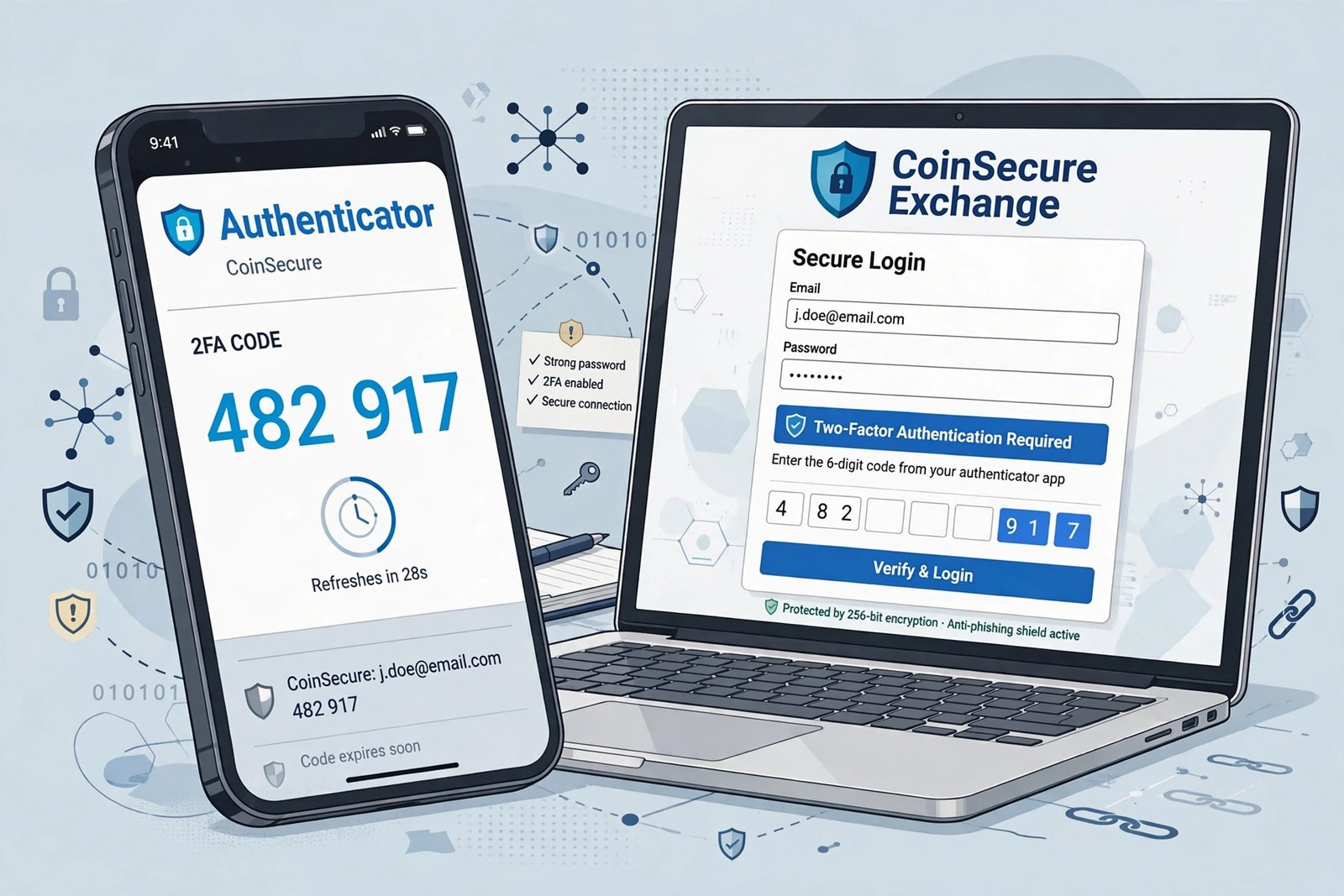
Your crypto exchange account is a direct line to your money — no bank teller, no fraud department reversing charges, no second chances. If someone gets your password, they get your funds. Two-factor authentication (2FA) is the single highest-leverage security upgrade a beginner can make: five minutes of setup that blocks the vast majority of account-takeover attacks. This guide walks you through it step by step, explains which 2FA method to choose (and which to avoid), and covers the recovery setup most people skip and later regret.
What Two-Factor Authentication Actually Does
Normally, your password is the only thing between a thief and your account — one factor. 2FA adds a second factor: something you have (your phone generating a time-based code) in addition to something you know (your password). An attacker who steals your password through phishing or a data breach still can’t log in without that second code, which exists only on your device and changes every 30 seconds.
This matters enormously for crypto because exchange logins are prime targets. Credential-stuffing attacks — where criminals try passwords leaked from other sites’ breaches — run constantly against major exchanges. If you’ve ever reused a password (most people have), 2FA is the wall standing between that leaked password and your funds.
Which 2FA Method to Choose (Ranked)
Best: Authenticator app
Apps like Google Authenticator, Authy, or Microsoft Authenticator generate codes on your phone with no network involved. They’re free, work offline, and can’t be intercepted remotely. This is what every security professional recommends for crypto accounts.
Good: Hardware security key
A physical USB/NFC key you tap to log in. Extremely secure, but costs $25–$60 and is overkill for most beginners. Consider one later if your holdings grow large.
Avoid if possible: SMS codes
Text-message codes are better than nothing, but they’re vulnerable to SIM-swap attacks — where a scammer convinces your phone carrier to port your number to their device, then intercepts your codes. Crypto holders are specifically targeted by SIM-swappers because the payoff is instant and irreversible. If SMS is your only option today, use it — but plan to upgrade to an authenticator app this week.
Step-by-Step: Setting Up an Authenticator App
Step 1: Install the app
Download an authenticator app from your phone’s official app store. Google Authenticator and Authy are the most common; either works with every major exchange. Install it before you start the exchange setup so you’re not switching back and forth.
Step 2: Open your exchange’s security settings
Log in to your exchange, go to Settings or Profile, and find Security or Two-Factor Authentication. Choose “Authenticator app” (sometimes labeled “TOTP” or “software token”) as the method.
Step 3: Scan the QR code
The exchange displays a QR code. Open the authenticator app, tap the + or “add account,” and scan it. The app immediately starts generating 6-digit codes that refresh every 30 seconds. The countdown indicator shows how long each code lasts — enter it before it expires.
Step 4: Enter the code to confirm
Type the current code into the exchange’s verification box. If it accepts, 2FA is live. From now on, logging in requires your password plus the current code from your app.
Step 5: Save your backup codes (do not skip this)
The exchange will show you one-time backup/recovery codes — usually 8–10 codes. Write these on paper and store them somewhere safe, separate from your phone. If you lose your phone without backup codes, recovering your account is a slow, painful identity-verification process. If someone finds your backup codes, they can bypass 2FA — so treat them like cash. This step takes 60 seconds and saves people from the most common 2FA disaster.
Lock Down the Email Behind the Exchange Too
Here’s what beginners miss: your exchange account is only as secure as the email address attached to it. An attacker who compromises your email can reset your exchange password — and in some setups, intercept 2FA recovery. So immediately after securing the exchange, enable 2FA on your email account too, using the same authenticator app. If you suspect your email may already be compromised, work through our guide to spotting a hacked email account before you trust it with financial accounts.
The Consumer Financial Protection Bureau’s guidance on protecting against identity theft reinforces this layered approach — every financial account deserves its own strong authentication, and email is the master key most people forget to protect.
Common 2FA Mistakes Beginners Make
- Screenshotting the QR code or secret key: that image in your camera roll is a copy of your second factor. Anyone who sees it can clone your codes. Delete it after setup.
- Using SMS when the app is available: if your exchange offers authenticator-app 2FA, don’t settle for SMS out of laziness. The SIM-swap risk is real and specifically targets crypto holders.
- Skipping backup codes: covered above, but it bears repeating — this is the #1 regret.
- Sharing codes with “support”: no legitimate exchange employee will ever ask for your 2FA code. Anyone who does is a scammer, full stop. The Investor.gov fraud resources document this exact impersonation pattern.
- One authenticator, no backup device: consider installing the same authenticator on a second device (or using an app with encrypted cloud backup) so a broken phone isn’t a crisis.
What to Do If You Lose Your Phone
Don’t panic — this is exactly what backup codes are for. Use a backup code to log in, then immediately go to security settings, disable the old 2FA, and set it up fresh on your new phone. If you don’t have backup codes, you’ll go through the exchange’s account-recovery process: government ID, selfies, waiting days. It’s deliberately slow (that’s the security working), which is why the paper backup codes matter so much. While you’re at it, review whether any other accounts used SMS 2FA tied to your old number — and be cautious about sharing personal information with chatbots or “support agents” during the stressful recovery process, when you’re most vulnerable to social engineering.
Conclusion
Setting up two-factor authentication with an authenticator app is five minutes of work that neutralizes the most common attack against crypto accounts: stolen passwords. Choose the app over SMS, save your backup codes on paper, and extend the same protection to the email address behind your exchange. Do it before you deposit meaningful funds, not after. In a financial system with no fraud department to call, your security settings are your fraud department.
Frequently Asked Questions
Is SMS two-factor authentication enough for a crypto exchange?
It’s better than nothing, but authenticator apps are significantly safer. SIM-swap attacks specifically target crypto holders to intercept SMS codes. Upgrade to an app when you can.
What happens to my 2FA if I get a new phone?
Transfer your authenticator app’s accounts before wiping the old phone (most apps have an export/transfer feature), or use your saved backup codes to re-enroll on the new device. Plan the migration; don’t discover the problem after the old phone is gone.
Can I use the same authenticator app for multiple exchanges?
Yes — the app holds separate entries for each account. Label them clearly (exchange name + your username) so you enter the right code.
Someone claiming to be exchange support asked for my 2FA code. Is that normal?
Never. No legitimate support agent will ever ask for your password, 2FA code, or seed phrase. It’s a scam — end the conversation and report the account.
Do I need 2FA on my email too?
Absolutely. Email access lets attackers reset passwords across your accounts. Secure your email with the same authenticator app — it’s the master key to everything else.