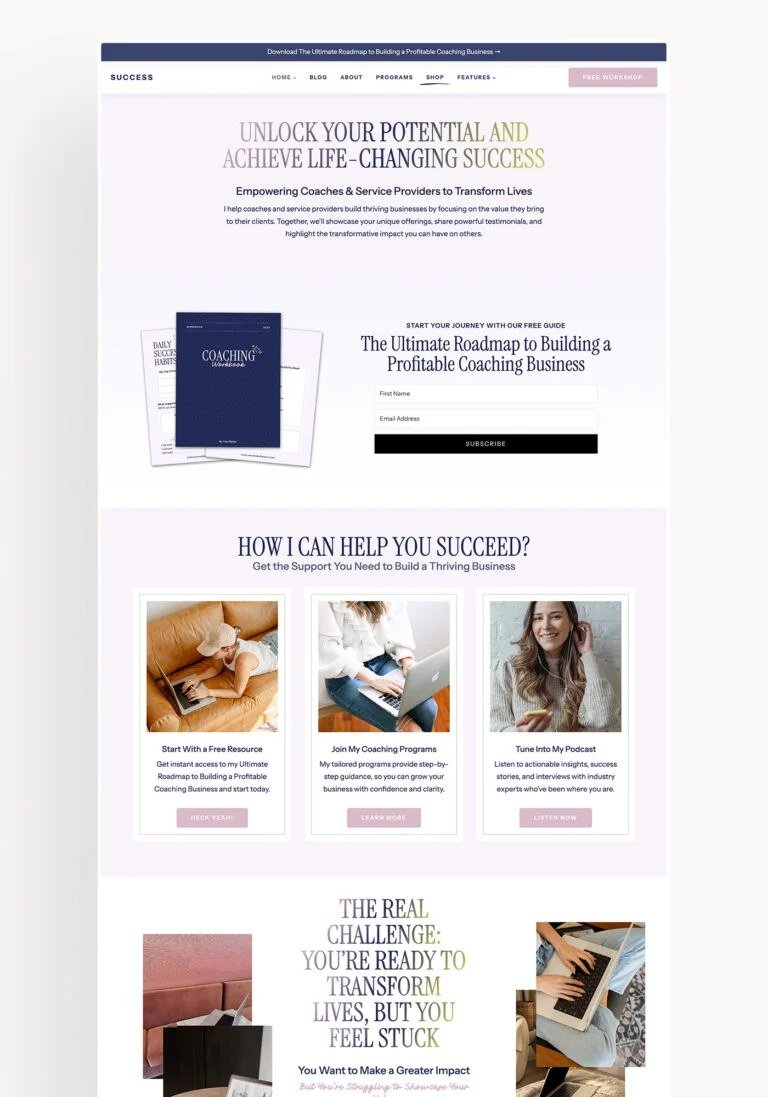
Your business needs a website. You know it needs a website. But quotes from web designers start at $1,500, agencies want $5,000+, and you’re not even sure what you’d put on it yet. Here’s the good news: in 2026, you can build a genuinely professional business website for free — not a janky placeholder, but a site you’d be proud to put on a business card.
Here’s exactly how.
What “Free” Actually Gets You
Let’s set expectations honestly. A free website can have: your own domain name (well, the domain costs $12–$15/year — the one thing worth paying for), professional templates, mobile-responsive design, contact forms, a Google Maps embed, photo galleries, and even basic e-commerce. What free plans won’t give you: some show platform branding (“made with Wix”), some limit storage or pages, and none include custom email (@yourbusiness.com). All solvable later when revenue justifies $10–$20/month.
The Best Free Website Builders, Ranked
1. Google Sites — Simplest Possible
Completely free, no branding, integrates with Google everything. The designs are basic — think clean brochure site, not award-winner. Perfect for: contractors, consultants, and service businesses that need “we exist, here’s what we do, call us” online in an afternoon.
2. Wix (Free Tier) — Best Templates
Hundreds of beautiful templates, drag-and-drop everything. The free tier shows Wix ads and uses a yoursite.wixsite.com address — acceptable while starting, upgrade later. Best for: businesses where visual impression matters (salons, restaurants, photographers).
3. WordPress.com (Free Tier) — Most Flexible Long-Term
The free tier is limited, but WordPress is the platform 40%+ of the web runs on — starting here means you can grow into a full self-hosted site later without rebuilding. Best for: businesses planning to blog or scale content marketing. (Our low-cost marketing guide explains why content matters.)
4. Canva Websites — Easiest for Non-Designers
Design in Canva (which you already know), publish as a website in one click. Gorgeous one-pagers, free hosting. Limited for multi-page sites, but a stunning one-pager beats an ugly five-pager every time.
5. Shopify Starter / Etsy — For Selling
If the site’s job is selling products, start where the buyers are: Etsy ($0.20/listing) or a simple Shopify plan. A “website” nobody visits sells nothing; a marketplace listing gets traffic from day one.
The 5 Pages Every Business Website Needs
Don’t overthink structure. You need:
- Homepage: what you do, who it’s for, and one clear call to action — in the first screen, no scrolling required. (Example: “Mobile car detailing in South Miami. Book in 60 seconds.” + big Book Now button.)
- Services/Products: what you offer with prices or starting prices. Include prices. “Contact for quote” on everything kills conversions.
- About: your photo, your story in 3–4 sentences, why you’re trustworthy. People buy from people.
- Reviews/Testimonials: even 3–5 to start. Social proof is the highest-converting content on any small business site. (Collecting them: getting Google reviews.)
- Contact: phone number (clickable on mobile), contact form, hours, service area with map, response-time promise (“we reply within 2 business hours”).
The Details That Make It Look Professional
- Buy the domain ($12–$15/year). Yourbusiness.com vs. yourbusiness.wixsite.com — the single highest-ROI $15 in business. Connect it to whichever free builder you chose (all support custom domains).
- Real photos beat stock photos. Your actual work, your actual face, your actual shop. Phone photos in good daylight are fine. Stock photos of handshakes scream “template.”
- One font, two colors. Pick a clean font pairing and a simple color scheme and use them everywhere. Consistency reads as professionalism.
- Mobile-first check. 60%+ of your visitors are on phones. Preview every page on mobile before publishing. If the phone number isn’t tappable, fix it.
- Fast loading. Compress images (TinyPNG, free), don’t autoplay video backgrounds. A slow site loses visitors before they read a word.
- Google Business Profile + website together. Link them both ways — this is local SEO basics and it’s free.
When to Upgrade (And to What)
- Getting real traffic: upgrade to remove platform branding and get analytics ($10–$20/month)
- Need custom email: Google Workspace ($7/user/month) or just forward the domain to Gmail free
- Selling seriously: move to Shopify or WooCommerce when free e-commerce limits bite
- Hiring a designer: only when the site is measurably costing you customers — and you’ll know, because you’ll have traffic data by then
Frequently Asked Questions
Can I really get a professional domain for just $15/year?
Yes — .com domains run $12–$15/year at registrars like Cloudflare, Porkbun, or Namecheap (avoid GoDaddy’s upsell gauntlet). That’s the entire annual cost of looking legitimate online. Renewals sometimes creep up; set a calendar reminder and switch registrars if yours jacks the price. One caution: never let your domain expire — losing it to a squatter is a nightmare that costs hundreds to fix. Enable auto-renew.
Will a free website hurt my Google rankings?
Not inherently — Google ranks content and relevance, not what you paid for hosting. A free WordPress.com or Wix site with good content outranks an expensive custom site with thin content. The real SEO factors: a custom domain (the $15 matters here — yoursite.wixsite.com looks less trustworthy to both Google and humans), mobile-friendliness, fast loading, and actually answering customers’ questions. Nail those on a free plan and you’ll rank fine.
When should I move from free to paid hosting?
When revenue justifies it or free limits bite: platform branding becomes embarrassing (you’re established now), you need real e-commerce, traffic outgrows free bandwidth, or you want full control (self-hosted WordPress). The typical trigger: $2,000+/month in revenue touched by the website. Until then, the free tier’s limitations are cosmetic, and your money works harder in marketing and inventory.
Can I switch builders later without starting over?
Mostly yes, with effort. Content (text, images) transfers easily; design doesn’t — you’ll rebuild the look on the new platform. Domain moves freely (just repoint DNS). Email lists export/import cleanly. The practical advice: pick with 2–3 years in mind (WordPress.com → self-hosted WordPress is the smoothest upgrade path in the industry), but don’t paralyze yourself choosing. A year of business on “the wrong” free builder beats a year of deliberation.
The Bottom Line
Pick a builder (Google Sites for simplest, Wix for prettiest, WordPress.com for most future-proof), buy your $15 domain, build the 5 essential pages with real photos and real prices, check it on mobile, and launch this weekend. A live decent website beats a perfect website stuck in “coming soon” every time. Upgrade with revenue, not with hope.